



Features
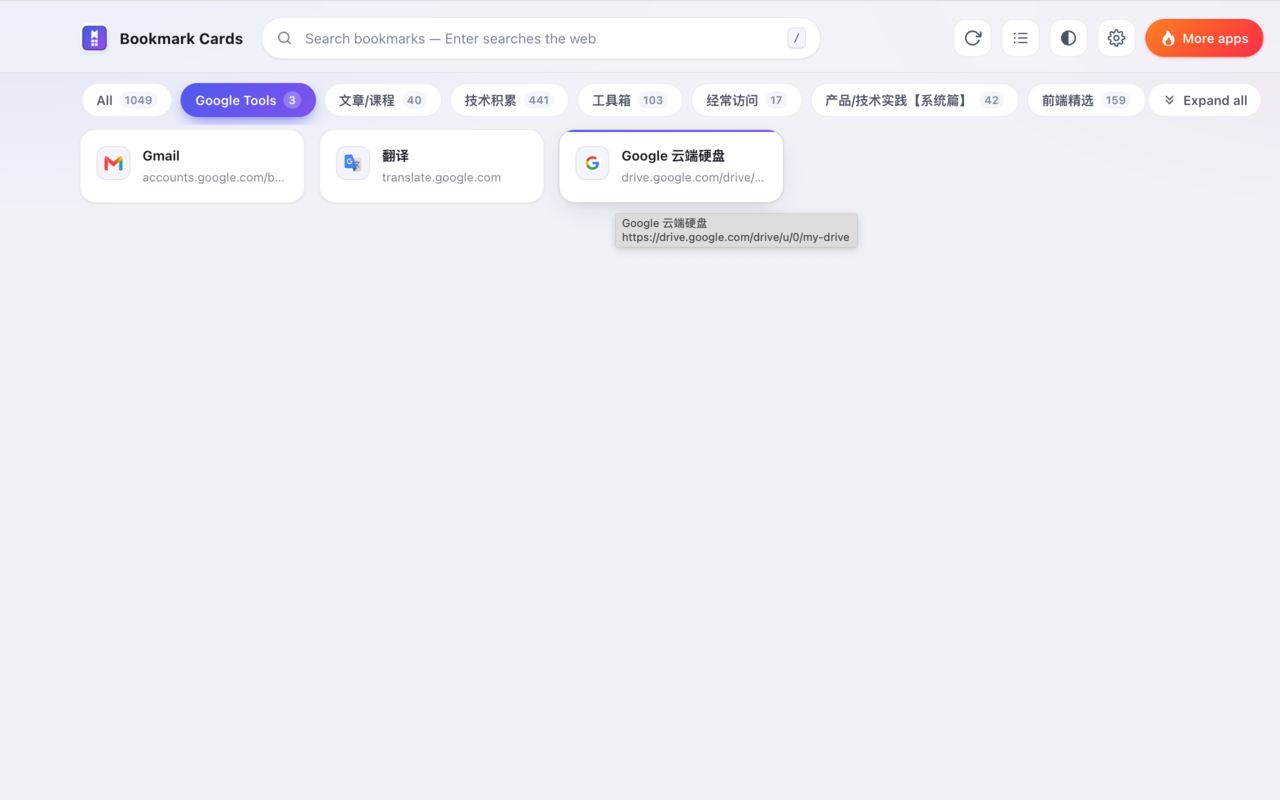
New tab takeover
⌘/Ctrl + T is your bookmark homepage; the toolbar icon opens it in a tab, never a popup.
Never a broken icon
Icons come from Chrome's local favicon cache and fall back to a generated colored initial.
Folder tabs + breadcrumb
Tab per top-level folder, drill into nested folders, step back through the breadcrumb.
Instant search
Filters the whole tree as you type and highlights matches. It searches your bookmarks only — no web search, so your browser's search setup stays untouched.
Page descriptions (opt-in)
Off by default. When enabled, descriptions are fetched locally-cached for 30 days; turning it off revokes the permission and clears the cache.
Bilingual UI
Simplified Chinese and English, following the system language or forced in settings — applied live to every open page.
Cards or list
Rich cards, or a denser multi-column list. Three card sizes, plus light/dark/system themes with no first-paint flash.
Expand all
Flatten every subfolder in view into one list with folder-path chips; one click restores hierarchy.
Live sync
Bookmark and setting changes propagate to open pages instantly — no reload needed.
Privacy
Bookmarks stay in your browser. The extension reads the bookmark tree and Chrome's local icon cache, renders them, and uploads nothing — no analytics, no trackers, no server. The only request it makes is the description fetch you explicitly enable, which requests your bookmark URLs without cookies; with that switch off it makes no requests at all. The search box filters your bookmarks locally and never searches the web. Read the full privacy policy.
Install
Recommended — Chrome Web Store. Add to Chrome installs the published build (it is the code in this repository) and keeps it up to date automatically. Open a new tab afterwards and your bookmarks are the homepage.
From source — useful for hacking on the extension:
- Clone the repository:
git clone https://github.com/specialCoder/bookmarks2html.git - Open
chrome://extensionsand enable Developer mode. - Click Load unpacked and select the repository root (the folder with
manifest.json). - Open a new tab. Requires Chrome 102+.
After editing the code, click ⟳ reload on the extension card and reopen the new tab — a stale new-tab page keeps running the previous build.
Try it without installing
The repo ships a dev preview that mocks the chrome.* APIs with 50
sample bookmarks, so both pages run in an ordinary browser tab:
cd bookmarks2html
python3 -m http.server 8899
# open http://localhost:8899/dev-preview.html
Keyboard shortcuts
| Key | Action |
|---|---|
| / | Focus the search box |
| Enter | Open the first matching bookmark |
| Esc | Clear the query and return to the current folder view |
| ⌘/Ctrl + click | Open a card in a background tab (native browser behavior) |